We are committed to protecting the children of the world against every predator, one family at a time.
 Hawk Kids for Android
Know where they are.Know who they're talking to.
Parental control for Android phones, with a Windows program for parents included. One license covers your whole family.

NEW IN HAWK KIDS
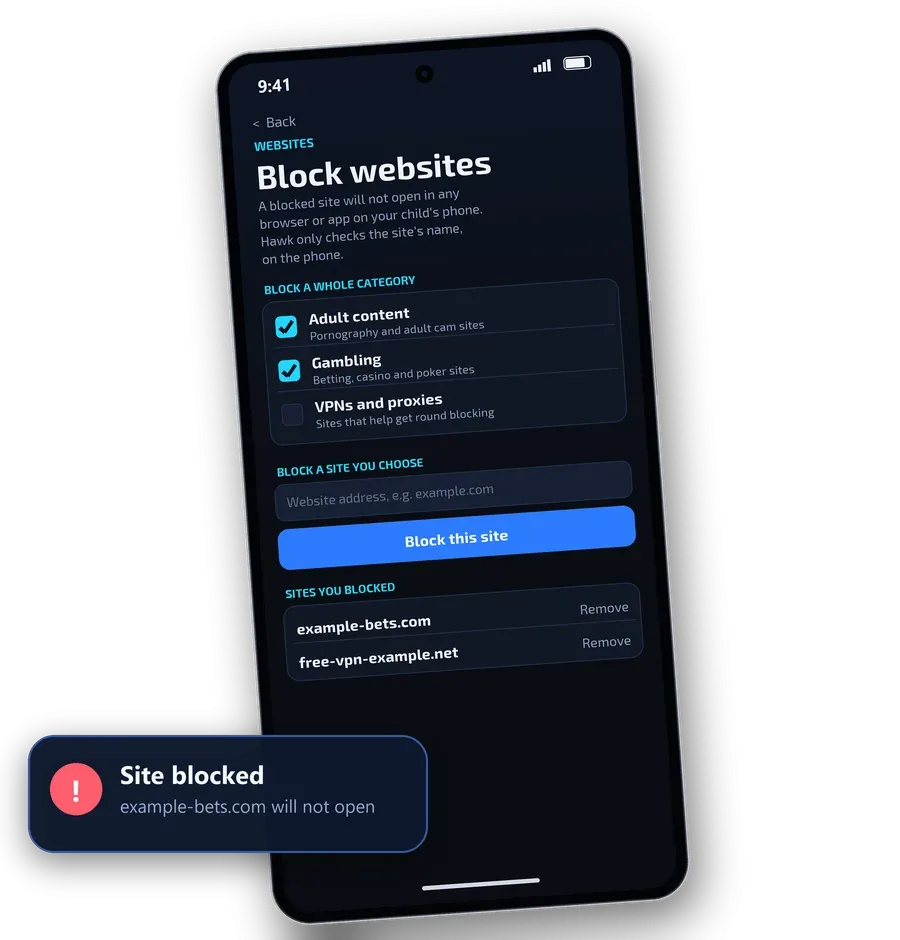
Block websites on your child's phone
Switch on adult content, gambling or VPN sites, or type any address. A blocked site will not open in any browser or app on your child's cell phone.
See it in action
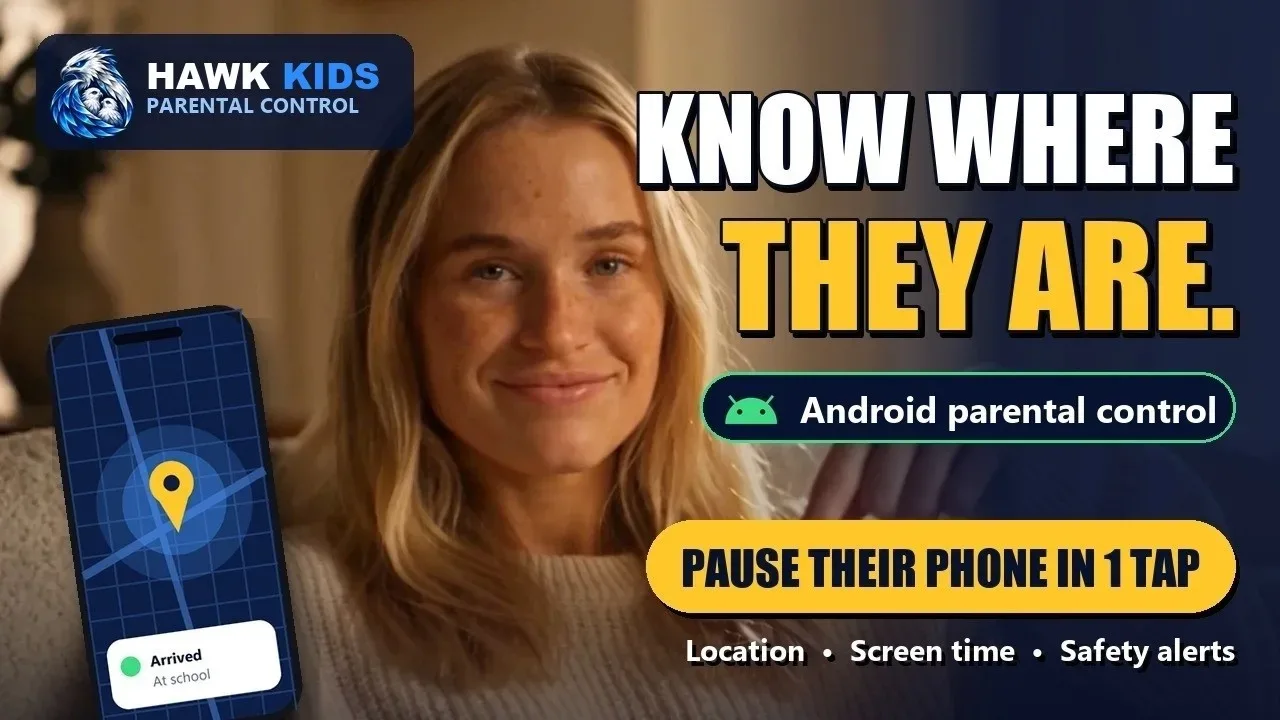
Everything you get, for one payment
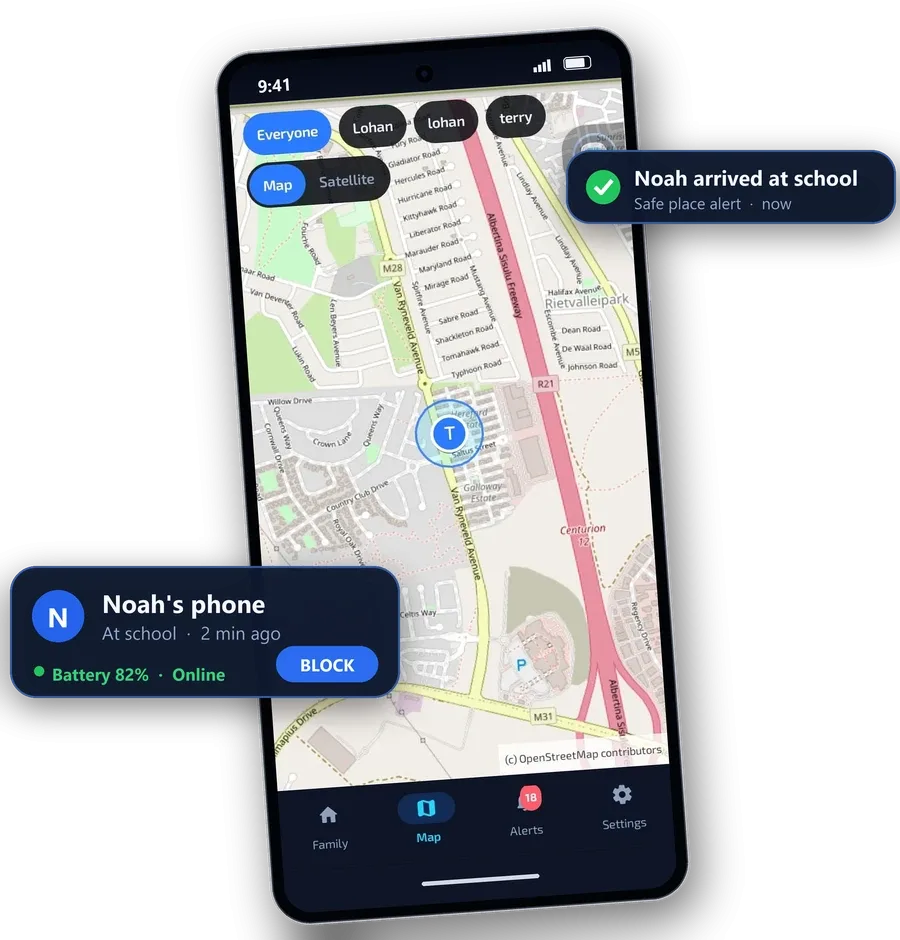
See where they are
- See where they are on a live map, with street and satellite views, the time of the last update and the battery level
- Arrive and leave alerts for home, school and a friend’s place, plus safe places you choose
Pause the internet in one tap
- Pause and restore the internet in one tap, from anywhere, on home WiFi, other WiFi and mobile data
- Give extra time with one tap
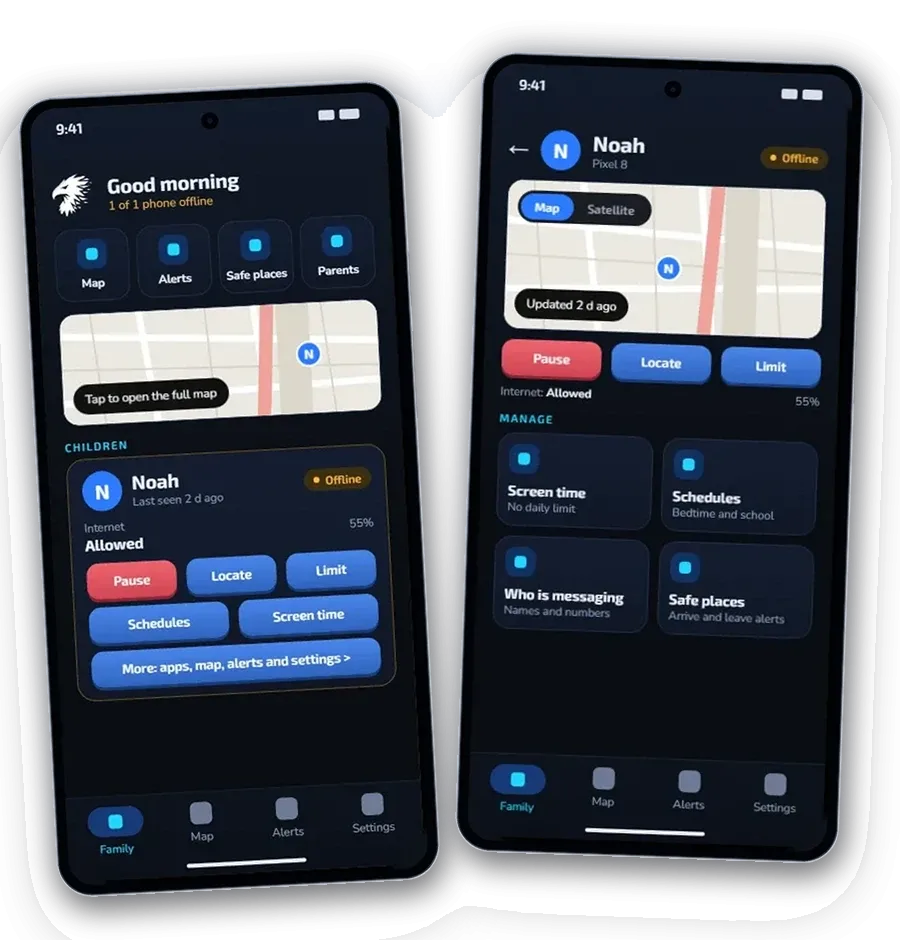
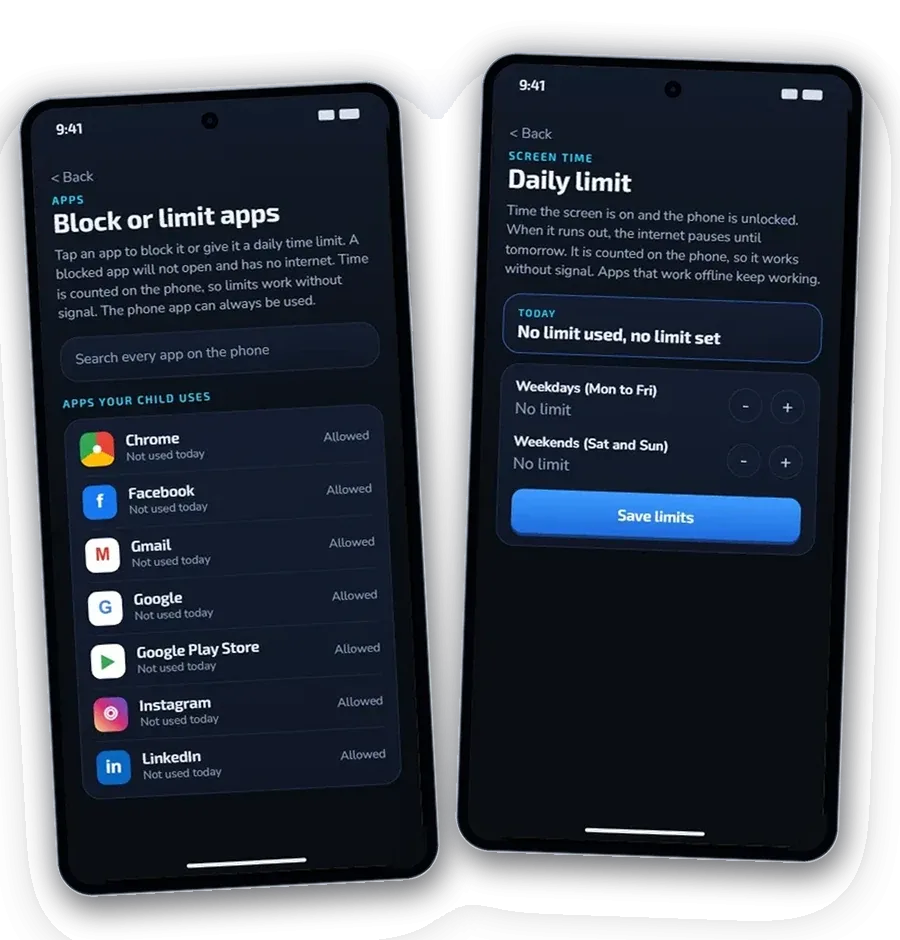
Screen time limits that stick
- Block any app, or give it a daily limit from 15 minutes to 12 hours. The time is counted on the phone, so it works with no signal
- See how many minutes each app was used today
- Bedtime, school hours and homework schedules that run themselves, plus a daily screen time allowance
- Block websites: adult content, gambling and VPN sites, or any address you add. A blocked site will not open on your child's cell phone
Block websites on their phone
- Switch on adult content, gambling or VPN sites, or add any address you choose
- A blocked site will not open in any browser or app on your child's cell phone
- Hawk only checks the name of a site against your list, on the phone. It does not record what your child visits
Early warnings, not message reading
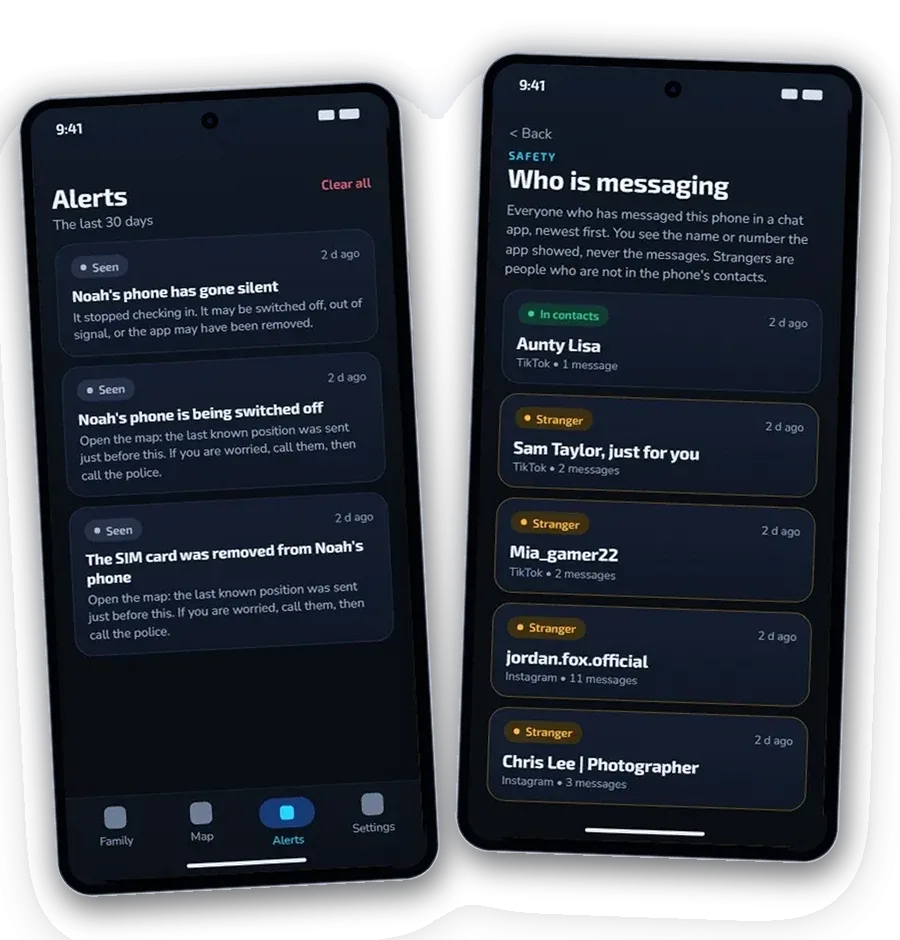
- Warnings about grooming, sexual requests, money demands and threats, checked on your child’s phone
- See who is messaging your child: names and numbers, never the messages
- Alerts when the battery is low, the phone goes quiet or protection is switched off
Also included
- SOS button and missing-child mode, so the phone reports its location more often
- Police report: a records pack you can hand to the police if your child goes missing, with the location trail, who messaged your child and the flagged chat lines
- Tamper-proof PIN and removal protection on your child’s phone
- Windows 10 and 11 PC program included, with the same login: map, alerts, schedules, screen time and apps
- Up to 3 children and 4 parents on one licence, each parent with their own login
- Works on Android phones and tablets (Android 8 or newer), tested on Samsung phones
- Open, not secret: your child’s phone shows a notice while location sharing and safety alerts are on
- Email support, one payment, no subscription, 7-day refund
Hawk Kids or Google Family Link?
Family Link is free and a good start. Hawk Kids is for parents who want more than screen time limits. Here is what each one does.
| Google Family Link | Hawk Kids | |
|---|---|---|
| Price | Free | One payment, no subscription |
| Windows PC program | Parent app from Google Play or the App Store. No Windows program is listed on its page | Included: a Windows 10 and 11 program so you can watch over them from your computer too |
| Web portal access | Parent app on Android and iPhone | Yes. Open the parent web portal in Safari or any browser, on iPhone, iPad, Mac or PC, with the same controls as the app |
| Screen time limits and app blocking | Yes | Yes |
| Time rules | Downtime, schedules and school time | Schedules and school hours, plus pause the phone in one tap on home Wi-Fi, other Wi-Fi and mobile data |
| Contacts and messages | Manage contact, call and text settings | Warns you when a chat looks unsafe. The check happens on your child's phone and the text does not leave it |
| Location and places | Map, family places, and arrive/leave notifications | Map, safe places, arrive/leave alerts and battery level |
| Emergencies | Ring the device and see its battery | An "I need help" button on your child's phone alerts you with their exact location. Missing child mode records a location trail you can export for a police report |
| Child needs a Google account | Yes | No, pair with a six-digit code |
| Website filtering | Yes (SafeSearch and Chrome settings) | Yes. Blocks adult, gambling and VPN sites, plus any address you add, in every browser and app on the phone |
Green ticks: what Hawk Kids does that Family Link does not.
Many families use both. Hawk Kids is Android only, and your child sees the app on their phone: it is not hidden. Family Link details come from Google's own page.
Get Hawk Kids
R999 once-off launch special (until 24 November, never this price again), yours for life, for any member of your family, not just kids. Looking for a Family Link alternative? Many parental control apps charge you every month or year and renew automatically. Hawk Kids is one payment, with no auto-renewals, to keep your family safe.

No Google Play on your phone? You can install Hawk Kids straight from our website instead.
Install direct from our websiteBuy Hawk for Android
Install it from the Play Store. There is no licence code to type, just create your family with your email. You pay in Google Play, in your own currency.
Includes the Windows PC program, up to 3 children and 4 parents. For Android cell phones and tablets only, not iPhone.
Hawk Kids speaks your language.
Hawk Kids is available in 29 languages, in the app and on Google Play. Google Play translates it for you, so you see the version that matches your phone language. Translations are machine generated.
- English
- العربية
- 中文(简体)
- Čeština
- Dansk
- Nederlands
- Suomi
- Français
- Deutsch
- עברית
- हिन्दी
- Magyar
- Bahasa Indonesia
- Italiano
- 日本語
- 한국어
- Norsk
- Polski
- Português (Brasil)
- Română
- Русский
- Slovenčina
- Español (España)
- Español (Latinoamérica)
- Svenska
- ไทย
- Türkçe
- Українська
- Tiếng Việt
Questions parents ask
Does my child know it is on their cell phone?
Yes. Hawk Kids is open, not secret. Your child approves location sharing on their cell phone, and Android shows a notice while it is on.
Does it read my child's messages?
No. You are never shown their private messages. It warns you when a chat looks risky, so you can talk to your child. It can also block websites: switch on adult content, gambling or VPN sites, or add any address. The built-in lists cover well-known sites, not every site on the internet.
Can I block websites?
Yes. Open your child's page in the app and tap Websites. Switch on adult content, gambling or VPNs and proxies, or type the address of any site. A blocked site will not open on your child's cell phone. Hawk only compares the name of a site with your list, on the phone. It does not record or send what your child visits.
Is there a subscription?
No. You pay once. There are no monthly or yearly fees and it never auto-renews. One licence covers up to 3 children and 4 parents. Many parental control apps charge every month or year, so over a few years Hawk Kids usually costs you less.
How do I set it up?
Install Hawk Kids on your cell phone and on your child's cell phone, then enter the pairing code to link them. Your download includes a step-by-step guide with pictures.
Does it work on iPhone?
No. Hawk Kids is for Android cell phones and tablets.
What if it is not for me?
You have 7 days to ask for a refund.
No Google Play on your phone? You can install Hawk Kids straight from our website instead.
Install direct from our websiteBuy Hawk for Android
Guarding your family, your business, your future.